BinNavi

Do you need to have code execution reach a certain part of an executable?
Do you want to visualize program structure?
Do you want to visualize the code coverage of your black box testing or for benchmarking fuzzers?
Do you want to perform security analysis of your Cisco router?

zynamics BinNavi is the world's first debugging system based on directed graphs and graph visualization.
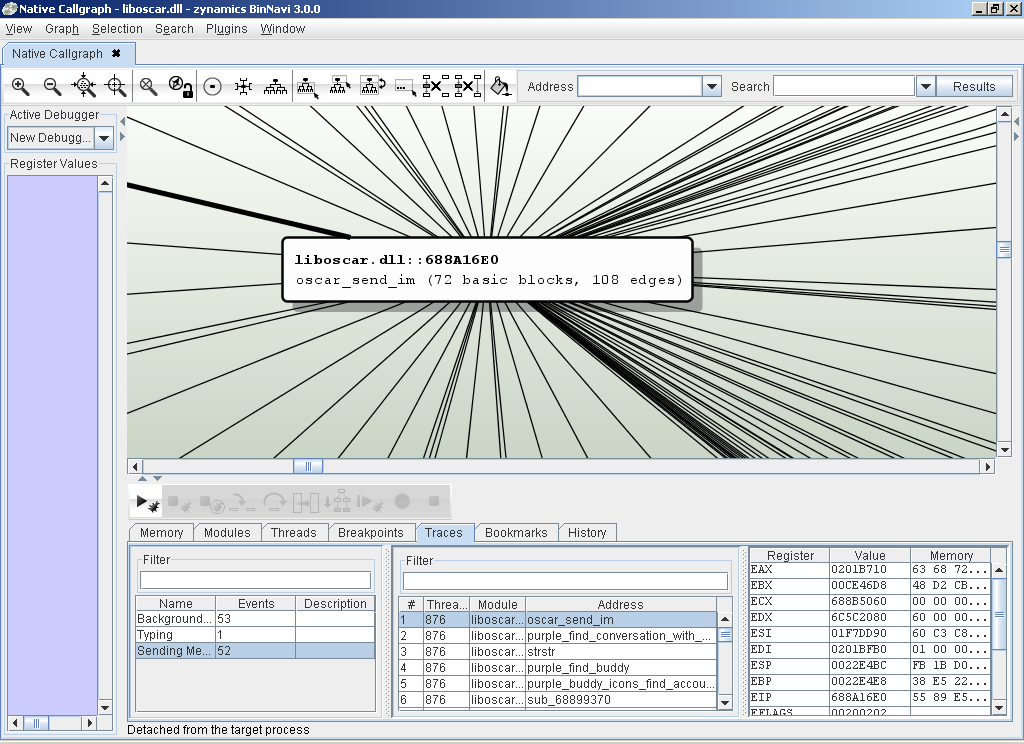
The first screenshot shows the callgraph browser of zynamics BinNavi. In the screen, a callgraph of a commercial IMAP server in the immediate vicinity of the recv-function (which is highlighted in magenta). Only the function that calls recv and close neighbors are shown to reduce clutter on screen.
BinNavi screenhot 1
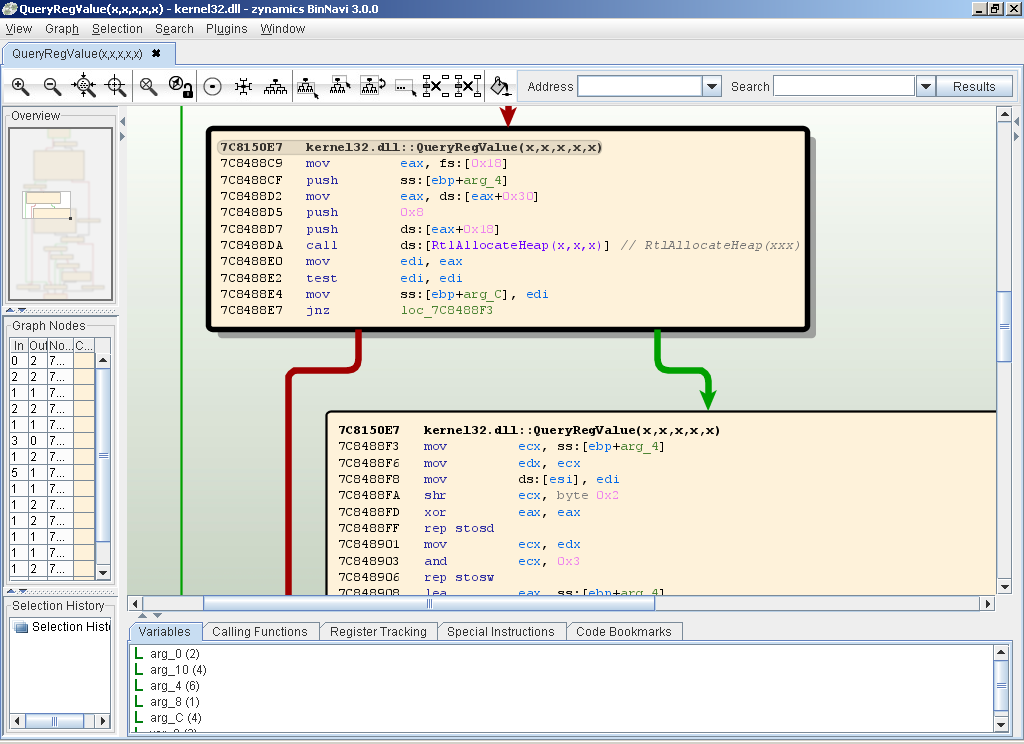
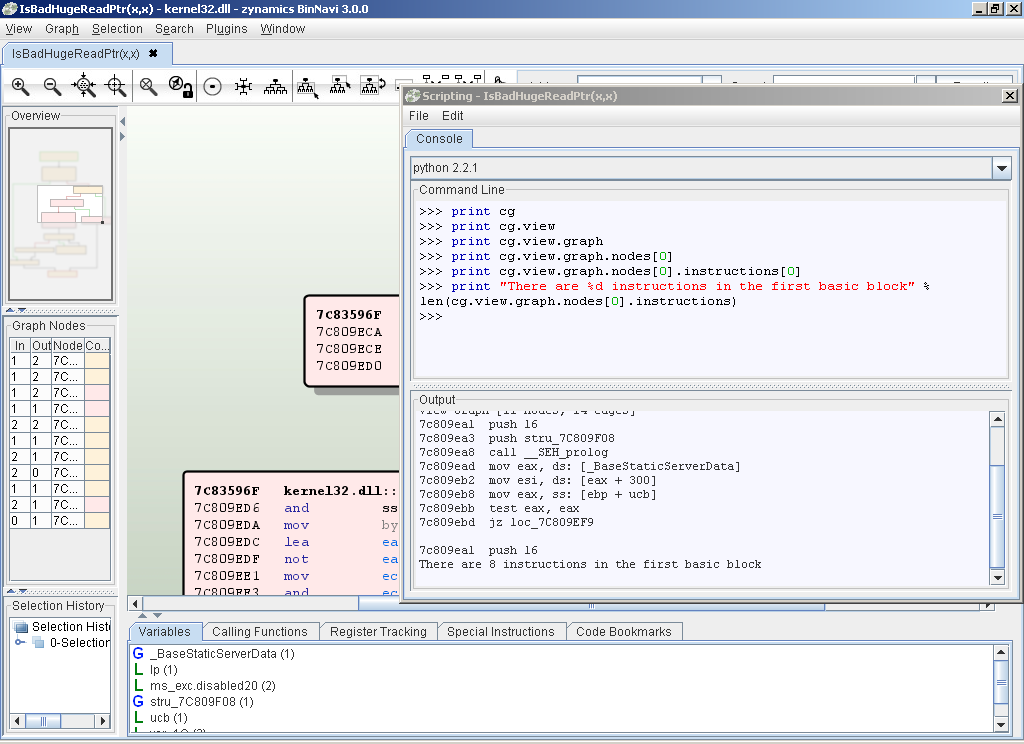
The next screenshot shows the control-flow-graph of a function in the IMAP server. It also shows zynamics BinNavi's built-in python interpreter in full swing: With a short 6-line script one can detect the natural loops in a function and output the addresses of the basic blocks contained therein.
BinNavi screenshot 2
The third screenshot shows the interaction of zynamics BinNavi with the included debugger: Two debug traces were created, one collecting all functions that are executed when an IMAP-client connects to the server, and one that collects all functions that are executed upon sending the 'CAPABILITY'-verb. The second trace was made visible, yielding a graph that shows all functions executed upon sending said verb, and their relations to each other.
BinNavi screenshot 3
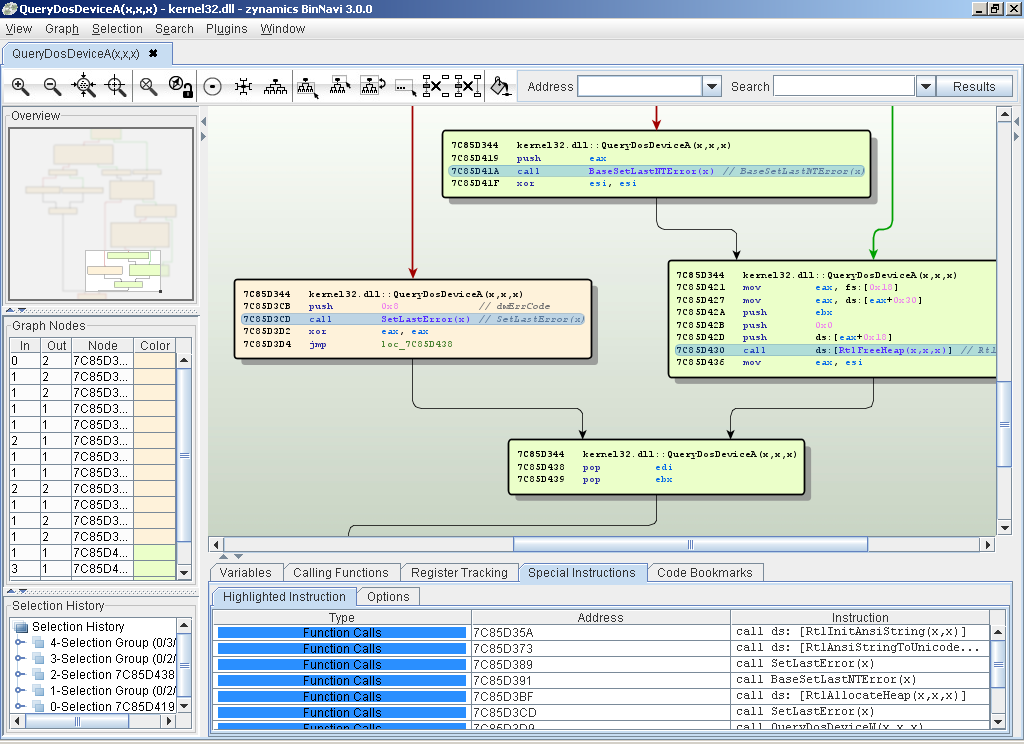
The fourth screenshot shows how zynamics BinNavi can be used to do 'differential debugging' (sometimes incorrectly called 'active reversing'): Debug traces can be used like regular sets, and functionality in the executable can be easily isolated. In this screen, the functions that execute when 'CAPABILITY' is sent, but do not execute on a simple connect-disconnect have been highlighted in green.
BinNavi screenhot 4
Execution traces can of course be performed on the function flowgraphs themselves. Here the flow through a function handling user input has been highlighted.
BinNavi screenshot 5
Like in any other debugger, breakpoints can be set; registers and memory can be inspected. And like in any serious debugger, all these things can be scripted.
BinNavi screenshot 6
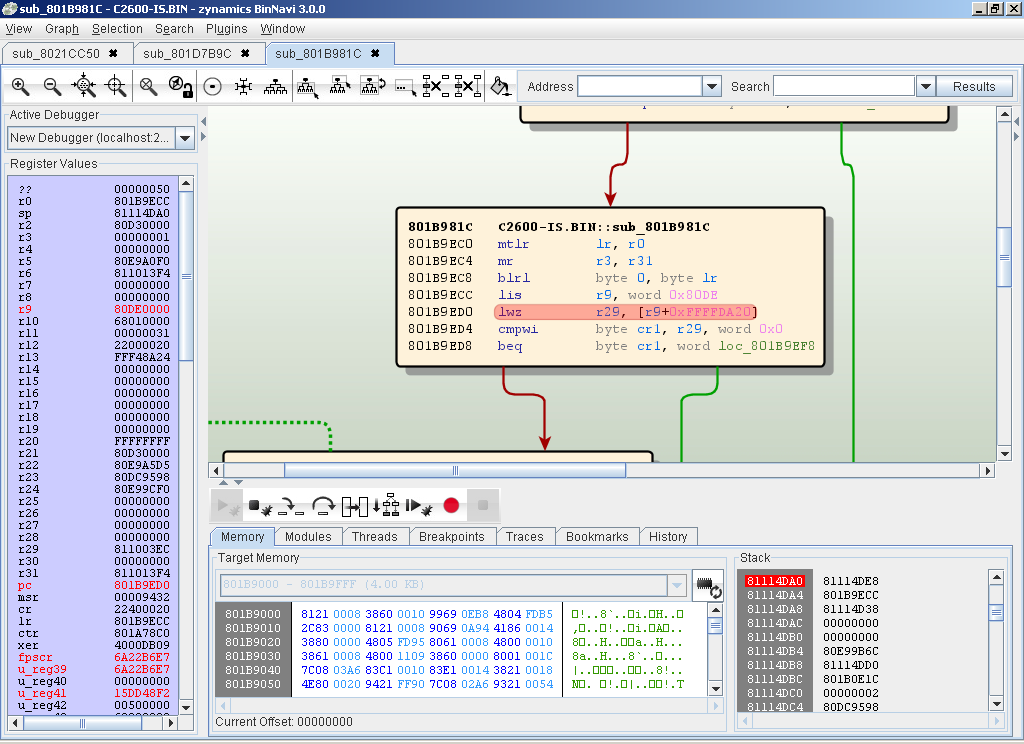
The point that differentiates zynamics BinNavi most from our competitors is the focus on allowing reverse engineering on a wide variety of platforms through the same interface: The next screenshot shows zynamics BinNavi debugging a Netscreen NS5XT VPN Gateway. BinNavi can debug other network devices like Cisco IOS-based routers, or even your WinCE-based smartphone!
BinNavi screenshot 7
Using a third-party disassembler (for example IDA Pro), to generate disassemblies, zynamics BinNavi can:
  • Display, layout, color and edit call hierarchies to clarify dependencies
  • Navigate execution to a certain location in the code to prove/disprove hypothetical vulnerabilities
  • Assist in crafting input to reach given code locations
  • Interactively explore the structure of the program
  • Run Python-scripts to automate reverse engineering tasks
  • Debug on many different platforms: Win32, Linux, Cisco IOS, ScreenOS etc.
With our release of zynamics BinNavi v1.2, many important features have been added:
  • Open Database Format: zynamics BinNavi now stores all data in a MySQL database in a convenient and flexible format. This facilitates the sharing of disassembly results amongst multiple users, data management and backup.
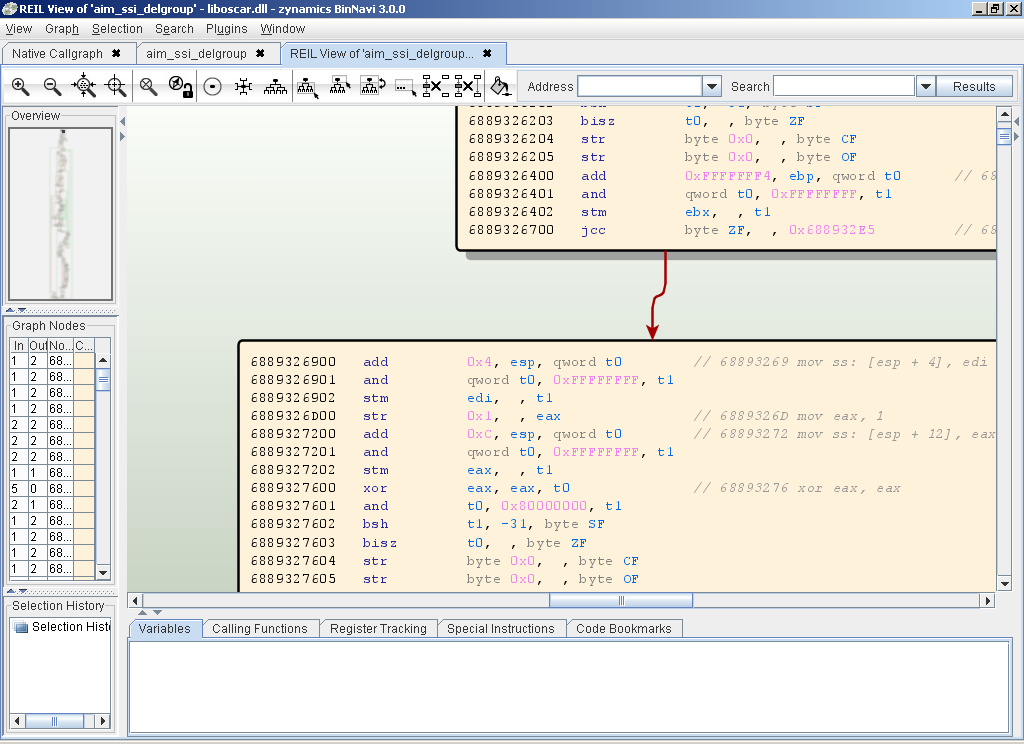
  • Integrated Python Interpreter: zynamics BinNavi allows access to the entire disassembly, all callgraph and flowgraph structures, the memory and registers of the debugged process and much more from the convenience of an integrated Python command line
  • Availability of the zynamics BinNavi GDB agent allows debugging on any platform that supports the gdb serial protocol. This includes most UNIXes and network embedded devices such as Cisco routers and Netscreen VPN appliances.

Please see the flash movies at the [BinNavi Flash Page] to get a better impression zynamics BinNavi's capabilities.

zynamics BinNavi consists of a Java-based GUI and several small debug clients for different platforms. zynamics BinNavi allows you to:
  • Simultaneously set breakpoints on all known functions to see coverage and normal program flow
  • Visualize and replay program execution
  • Edit, move, and color nodepaths and nodes in the code flow path to aid in program understanding

Currently supported platforms (for the debugger) are Win32/x86 and Linux/x86 (ptrace). A WinCE/ARM debugger is experimental and is available (but sometimes buggy) upon request. The GUI is in pure Java and has been successfully tested on Windows, MacOS X and Linux.
We are also proud to offer the zynamics BinNavi GDB Agent, which allows debugging on any platform that speaks the GDB serial protocol in a dialect that we can deal with. The zynamics BinNavi GDB agent has been successfully tested under the following platforms:
  • Linux x86
  • FreeBSD x86
  • Cisco IOS (PowerPC)
  • Netscreen ScreenOS (PowerPC)

We expect it to work with most hardware / JTAG debuggers.
Pricing
zynamics BinNavi is an extension to the commercial disassembler IDA Pro. You need a recent version (4.9 or higher) of IDA Pro to use zynamics BinNavi.

Per-Engagement License (4 weeks single user) 800 € (1170 US$)
Single User License 3200 € (4680 US$)
5 User License 14400 € (21070 US$)
10 User License 25600 € (37460 US$)
Enterprise License 38400 € (56195 US$)
GDB Agent Single User License 1500 € (2190 US$)

Every license includes free updates and email support for 12 months after the date of purchase. Additional 12 months of free updates can be purchased at 80% of the original license cost:

12 Month Single User Updates 2560 € (3745 US$)
12 Month 5 User Updates 11520 € (16860 US$)
12 Month 10 User Updates 20480 € (29970 US$)
12 Month Enterprise Updates 30720 € (44955 US$)

In addition to the above options, zynamics also offers an attractive subscription plan for large customers: our Enterprise Subscription Plan offers all the benefits of a regular Enterprise License, but is based on a monthly fee.
The minimum duration of the subscription is 24 months. If not terminated 8 weeks in advance of expiration, the subscription will be automatically renewed for 3 months at a time.
12 Month Single User Updates 3000 €/month (4380 US$/month)
 
For customers within Germany the German VAT (19%) applies.

Order
For placing an order or any further questions, please contact info@zynamics.com or download our order form (*.pdf).